New & Now ⚙️ Custom Messaging is Here

August 2024
New Conversica Releases
Conversation Editor with AI Assist
The day has finally come, Custom Messaging is here. Our massive update to the Conversation Editor is live! We’ve added a suite of new enhancements based on your invaluable feedback.
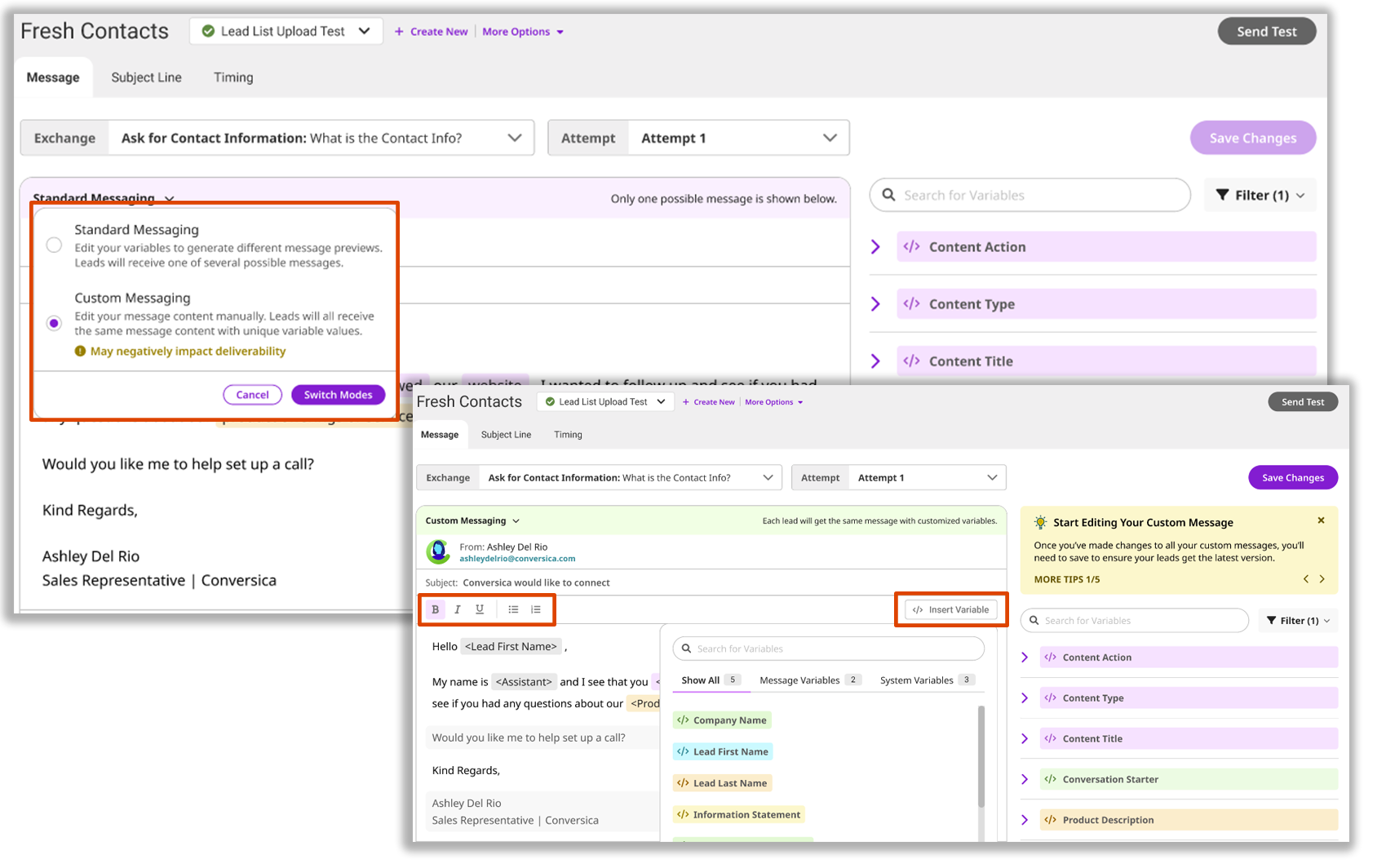
This update introduces two, highly-requested features:
- Choose Between Custom or Standard Messaging: Gain comprehensive control over your message content for detailed customization with the new Custom Messaging feature. Alternatively, enjoy our familiar editing approach using Standard Messaging, now with enhanced navigation.
- Rewrite with AI: Leverage AI to generate and refine your messaging with intelligent suggestions.
We didn’t stop there, we’ve also brought improvements to our UI navigation, better variable management, and a helpful Tips and Tricks Widget.
This is a big one. To help you be prepared to take full advantage of the Conversation Editor with AI Assist we want to provide you with a Product Webinar from our expert team.
Got questions? Drop them in the comments section of our Product Webinar Discussion Form.
Some Example Use Cases:
Seasonal Promotions: Running a seasonal promotion and want to drive sales during this period? Create a seasonal version of the ICP Outreach conversation with phrasing and words tailored to match your promotion.
Providing Instructions: Have an upcoming webinar and want to provide clear steps on how to register? Create an ordered list with step-by-step instructions, ensuring users follow the process correctly and reduce any confusion.
Event Registration Confirmation: Hosting a high-profile event and want to make sure the conversation tone matches? Use the Rewrite with AI feature to automatically generate a new message that matches the formality of the event.
There’s so much more you can do with the new Conversation Editor with AI Assist. Check out our community post below to learn more.
Introducing the View in Dynamics Button in Alert
We're excited to announce a new feature designed to streamline your workflow: the View in Dynamics button in email alerts. This enhancement is now available for customer service representatives and admins using MS-Dynamics CRM.
What’s New?
Those integrated with Microsoft Dynamics will now see an additional button in their email alerts. This button will take them directly to the lead profile in MS-Dynamics, saving time and reducing errors.

How it Works:
- The new button appears in the Email Alerts from Conversica.
- Clicking the button redirects users to the MS-Dynamics lead or contact page for that specific lead.
- If not already signed in, users will be prompted to log in to MS-Dynamics before being redirected.
Coming Soon
Carbon Copy Rep on Email - August 20, 2024
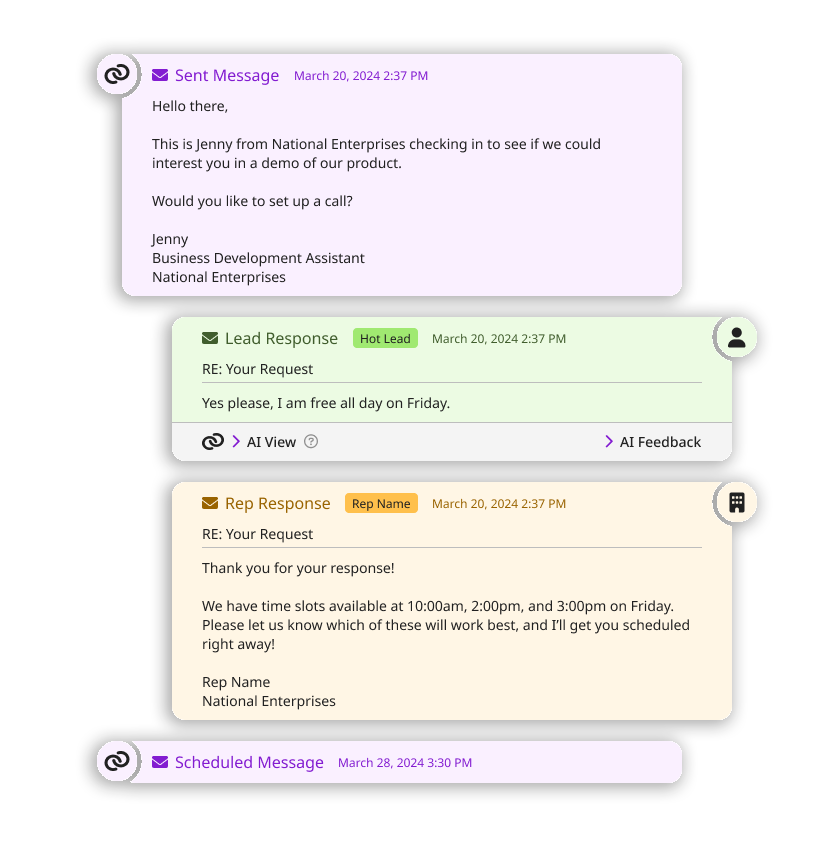
The upcoming "Carbon Copy Rep on Email" feature, is designed to enhance your Assistant’s capabilities and streamline the sales process. This update aims to resolve issues where sales representatives need to manually connect with leads after identifying them as hot leads. By including reps in email threads automatically, we will ensure seamless communication and faster engagement.
Key Benefits:
- Seamless Communication: Ensures a smooth introduction of the sales rep without disrupting the communication flow.
- Efficiency: Reduces the time reps spend on manual introductions and increases response rates.
- Better Engagement: Emails sent through our platform are more likely to reach the leads’ inboxes, improving engagement.
We’re excited to bring you this update on August 20th and look forward to your feedback on how it enhances your sales engagement process!
|
Please sign in to leave a comment.
Comments
0 comments