Now Available: Test AnswersIQ Before You Publish Facts!

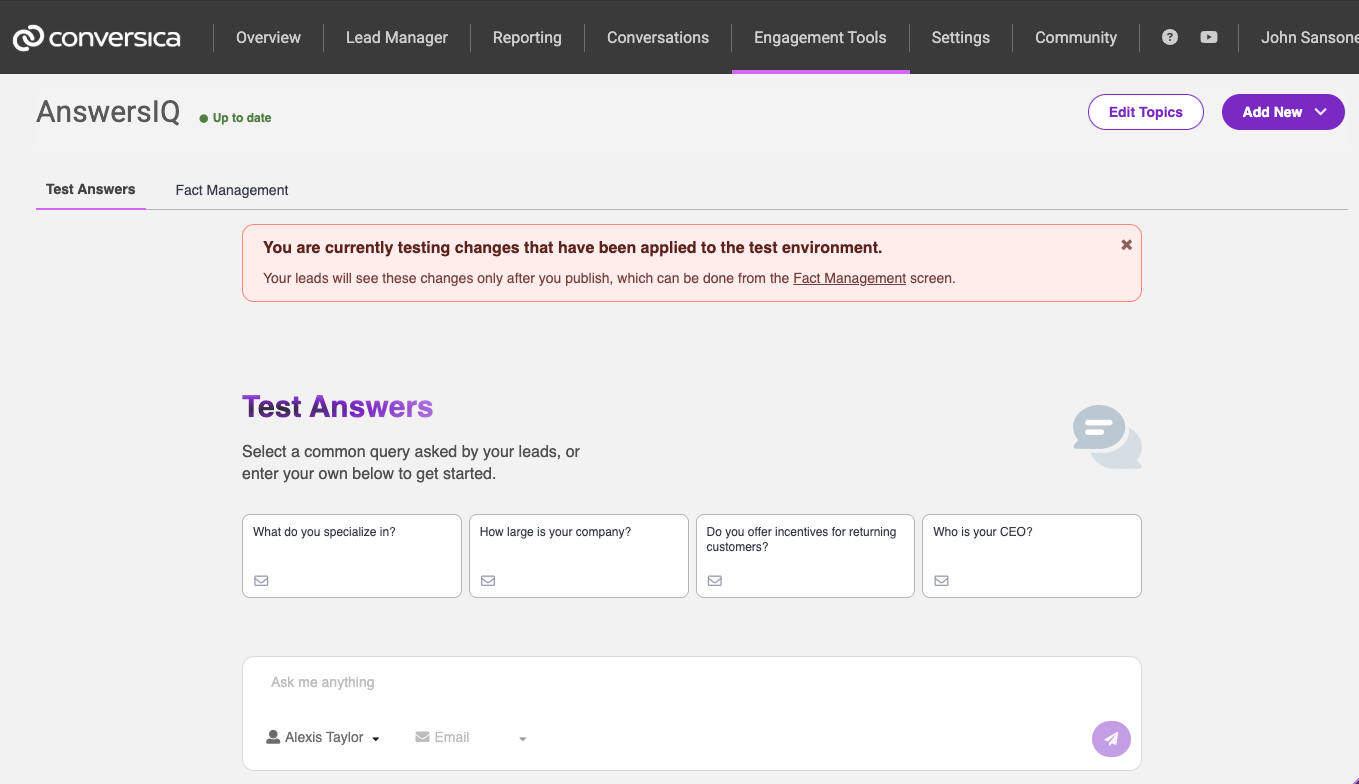
We’re excited to announce that the AnswersIQ Testing Page is officially live! Starting today, you can interact directly with your Assistant, preview responses, and fine-tune your facts — all before publishing anything live.
🔍 What is the AnswersIQ Testing Page?
The Testing Page gives you the ability to simulate lead questions, see how your Assistant will respond, and review the contributing facts used to generate each answer. It’s a safe, real-time environment to ensure accuracy before anything reaches your leads.
No more guesswork — see it, tweak it, and perfect it before publishing.
⚙️ How It Works:
-
Head to Engagement Tools > AnswersIQ, and click the Test Answers tab.
-
Enter a sample query and choose your Assistant and channel (Chat, Email, or SMS).
-
Review the Assistant’s response along with the top contributing facts.
-
Make edits in the Fact Management UI, re-test as needed, then publish when you're ready.
📘 Learn More
Visit our Help Center documentation for a complete walkthrough on using the Testing Page effectively.
Please sign in to leave a comment.
Comments
0 comments